Expandi Review (2026)
 By Daan Haket · Researched and written with an AI assistant · who does what
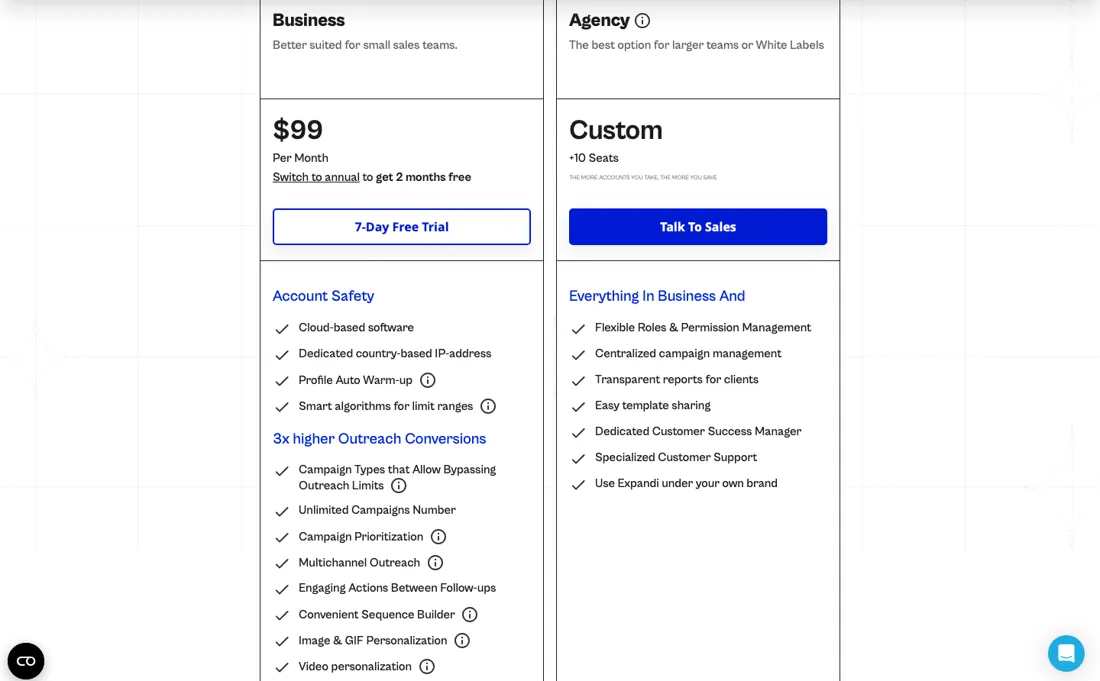
There is no free tier and no cheap entry — Expandi starts at $99 a month per seat, and the friendlier $79 assumes annual commitment.
sales teams and agencies running LinkedIn (and email) outreach at scale who want smart sending limits, warm-up and multi-account management.
you send occasional connection requests (LinkedIn's native tools suffice), or you're uneasy about automation against LinkedIn's terms of service.
Transparency: the “Visit” links on this page are affiliate links — we may earn a commission if you sign up, at no extra cost to you. No vendor can pay for a better review or verdict. How we make money →
Pricing (2026)
✓ Pricing re-verified 7 Oct 2026
7-day free trial, no free plan. Business is $99 per month month-to-month; paying a year up front takes 20% off, $79 a month equivalent. The same page also calls this two months free; on its own figures it is $948 a year against $1,188, a saving of $240, which is closer to two and a half months of the $99 fee than two.
Pricing is per seat and Expandi states that the discount grows with the number of seats you buy, so a multi-seat agency quote is not simply the seat price multiplied. Higher tiers add role and permission management and centralised billing. Taxes vary by country and are added on top. Plans change — always verify the live price on their site.
Category context: Sales & CRM. Across the 12 tools in this category that we researched with a public US-dollar price, the median entry price is about $45 a month (lowest paid plan as listed, per seat where the vendor prices per seat). Expandi’s entry price of $99 a month sits above that median. Compare pricing conditions in the Software Cost Atlas →
What the pricing page doesn’t say
It's also LinkedIn automation, which sits in a grey zone against LinkedIn's own terms: powerful for outreach, but a platform-risk you own.
Watch the video review
The video version of this review, from our YouTube channel.
⚡ Short on time? Watch the 30-second verdict Short.
What Expandi does
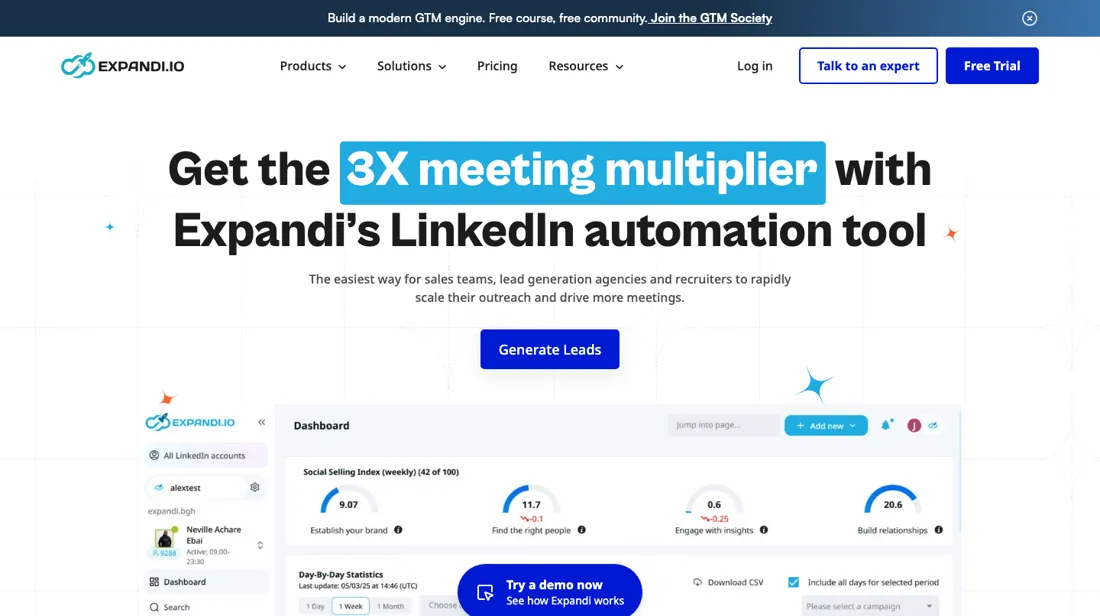
LinkedIn and email outreach automation for sales teams and agencies — smart limits, warm-up and multi-account management.
What buyers report about Expandi
Hands-on: not tested by usReported by buyers: G2, Capterra and practitioner write-ups, read August 2026
Themes from the buyer-review sites listed at the foot of this page, read in August 2026. We have not run Expandi ourselves, so this is other buyers' experience rather than ours. We summarise it here because the complaints are usually the part a vendor page leaves out.
- • Dedicated residential IPs, randomised human-like delays, configurable daily caps and an automatic pause when LinkedIn issues a security challenge — the safety engineering is real and more than most competitors do.
- • Reviewers running careful, low-volume campaigns report it working as advertised.
- • Bans still happen. 67% of users report account restrictions, and reviewers describe LinkedIn accounts banned within 30 to 90 days with little recourse — one G2 reviewer lost a ten-year-old account with 8,000+ connections. Weigh that against the value of your own profile before you start.
- • $99 per seat per month, or $79 annual — and the personalisation everyone wants costs more on top: Hyperise $69, Sendspark $49.
- • Reviewers report being billed for more seats than they bought, with no resolution, and cancellation not always stopping the charges.
- • The interface takes longer to learn than competitors'.
When the paid plan is worth it
Expandi has no free plan. The only unpaid option is a 7-day free trial, which the vendor says gives access to all features without limitations. So the decision is really $99 per month against $79 per month on annual billing, which the pricing page frames as 20% off, or two months free (the $240 a year it saves is closer to two and a half). Price is per seat, and one seat covers one LinkedIn account at a time, so cost scales with the number of profiles you run rather than with volume.
The arithmetic is simple: a seat has to return more than $99 a month in pipeline from a single LinkedIn identity. Agency pricing is quote-only and aimed at 10+ seats. What paying more does not fix is the ceiling. Sending rate is set by LinkedIn, not by your plan. Expandi's own gradual warm-up starts a new account at 5 actions a day and tops out at 21, and the same article notes LinkedIn enforces a weekly cap of 100 connection requests.
A second seat buys a second account, not a faster one. Image and GIF personalization and video personalization are billed on top of the subscription.
How to actually use Expandi
The shortest route is the 7-day trial: connect your LinkedIn account, then check it is fully synced before doing anything else. Expandi's onboarding article says an account showing a 'Resolve issues' button, or 'temp_name' instead of the real name, is not fully connected, and automation will not work until it is. Where people lose time is going too fast. For a brand-new profile the vendor tells you to complete the profile, make 20-30 manual connection requests to people you know, publish a post, and let the account sit for at least 3-5 days before automating.
Gradual warm-up then schedules 5 actions on day one and adds 3 every two days up to 21, so week one is deliberately small, and toggling warm-up off and on resets that progress. Set active times to 5 days a week with at least 2 inactive days, start with a Connector campaign, and note that 2FA is required for mobile connector campaigns and for Sales Navigator or Recruiter lead lists.
Distilled from vendor pricing page and Expandi help centre articles (onboarding, account warm-up, seats and subscriptions), read 5 August 2026. Re-verified 7 October 2026: expandi.io/pricing served HTML ($99 monthly, $79 a month billed annually, '20% Off' and 'Switch to annual to get 2 months free'; Agency custom for 10+ seats), expandi.io/faq, and these help-centre articles: Manage Subscriptions (Seats) for your LinkedIn Accounts https://help.expandi.io/en/articles/10261458-manage-subscriptions-seats-for-your-linkedin-accounts-workspace; Disconnect/Transfer a Seat https://help.expandi.io/en/articles/10261467-disconnect-transfer-a-seat-linkedin-settings-workspace; Roles and Permissions https://help.expandi.io/en/articles/10001730-roles-and-permissions-workspace; How to Export Data? https://help.expandi.io/en/articles/5405850-how-to-export-data.
Expandi vs lemlist, side by side
Each column shows the vendor’s own published entry price, read on the date shown. Entry prices can cover different services or units, so check what each one buys. We do not average them into a score.
Both names above are affiliate links: we may earn a commission if you sign up, at no extra cost to you. Neither changes what this table says.
The natural comparison is lemlist — lemlist is the multichannel outreach all-rounder with a big template community; Expandi is the LinkedIn-automation specialist — sharper for that channel, no free tier, and the usual platform risk.
Frequently asked questions
What does Expandi cost?
$99 per seat per month month-to-month, or 20% less if you pay a year up front: $79 a month, $948 a year against $1,188. The page also calls that two months free, though the $240 saving is closer to two and a half. Read on 17 August and 7 October 2026. Taxes are added depending on your country.
Is there a discount for a team?
Yes, and it is not just the annual one: Expandi states that the more seats you buy the larger the discount, so an agency running several accounts should ask for a quote rather than multiplying $99. That also means the published price is a ceiling for multi-seat buyers rather than a fixed rate.
What do I get in the trial?
Seven days, and there is no free plan behind it — when the trial ends you either pay or stop. For a LinkedIn outreach tool that is a tight window, because campaigns need warm-up time before reply rates mean anything. Plan the trial around one small campaign you can actually finish inside a week.
What exactly am I paying for when I add a seat?
A seat is the unit of billing, and you pay for it whether or not a LinkedIn account is connected to it. Expandi's article on managing seats (read 7 October 2026) says one seat serves one LinkedIn account at a time and the price depends on the number of seats purchased. Disconnecting an account does not cancel its seat: you have to remove the seat on the Subscriptions & Payments page to stop paying. A seat can be moved to another LinkedIn account in the same workspace, once a month from LinkedIn settings or without that limit from Subscriptions & Payments, but never to another workspace. Only the workspace owner and admins see billing; workspace managers and members can run every LinkedIn account in the workspace without seeing it.
What happens when I cancel, and what data can I take?
You cancel per subscription on the Subscriptions & Payments page; if accounts are still connected to its seats, Expandi lists them and asks you to confirm. A cancelled subscription cannot be reactivated, so coming back means creating a new one. Once a seat is disconnected you lose access to that account's campaigns and searches until a seat is attached again, so export first: leads in My contacts, lead lists and campaigns can be mailed to you as a CSV or sent to a webhook (How to Export Data?, read 7 October 2026). Expandi's FAQ says a monthly subscription can be cancelled at any time; refunds and cancelling an annual plan are not addressed there: not confirmed.
Is this a hands-on review of Expandi?
This is a researched assessment, not a hands-on test — where we've used a tool ourselves, we say so explicitly. We name what each tool is good and bad at, and we earn a commission only if you sign up, at no cost to you.
- Buyer reviews on G2, Capterra and practitioner write-ups, read August 2026.
- Re-verified 2026-08-17 and 2026-10-07.
- A dated screenshot of that pricing page, kept on this site as the receipt.
Others in this category
Reviewed sales & crm tools that share ground with Expandi — comparable in what they do, not drop-in swaps:
New reviews, price changes we recorded, and the cost conditions we found. No sponsored placements. Unsubscribe anytime.
This is our researched assessment — not a paid placement. The “Visit” links on this page are affiliate links: we may earn a commission if you sign up, at no extra cost to you, and it never changes our take. How we review →