Try You Review (2026)AI Try-On With No Monthly Fee, From $0.04
 By Daan Haket · Researched and written with an AI assistant · who does what
The cost scales with use, not with sales: every successful try-on is billed, from $0.04 to $0.58 depending on quality, so a busy button on cheap products can cost more than it earns, and the volume-discount thresholds are not published.
Shopify stores selling clothing, eyewear, bags, shoes or accessories that want shoppers to see the item on themselves, and prefer paying per use over a fixed monthly app fee.
your theme is not Online Store 2.0, your margins cannot carry a per-try-on charge on heavy traffic, or you cannot have shopper photos processed by third-party AI models outside the EU.
Transparency: the “Visit” links on this page are affiliate links — we may earn a commission if you sign up, at no extra cost to you. No vendor can pay for a better review or verdict. How we make money →
Pricing (2026)
✓ Pricing re-verified 24 Oct 2026
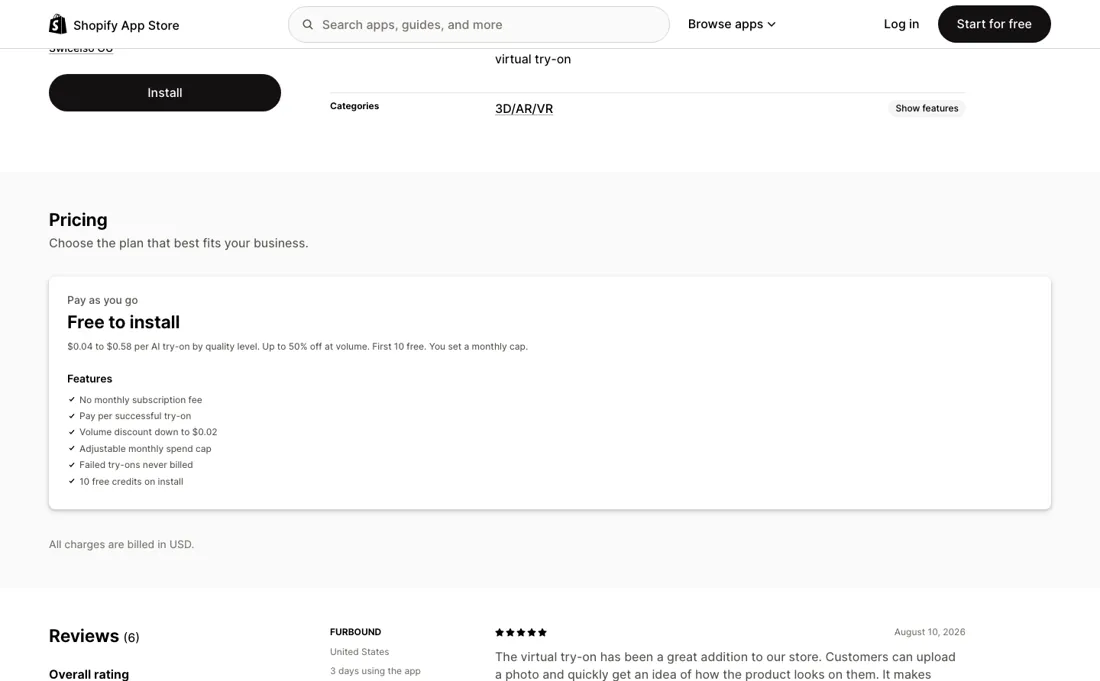
“Volume discount down to $0.02”Source: apps.shopify.com/tryyou, read 15 Oct 2026
Free to install with 10 free try-ons, then pay per successful try-on with no monthly subscription. The price depends on the quality level you pick: Light $0.04 (1024 × 1536), Medium $0.12, Pro $0.19 (1024 × 1536), HD $0.37 and Ultra $0.58 (1536 × 2048, 2K). The vendor's own example: 100 try-ons cost about $4 on Light and $19 on Pro. Volume discounts go up to 50% off, down to $0.02 per try-on, but the thresholds are not published.
You set a monthly spending cap between $5 and $10,000; failed try-ons are never billed; all charges go on your Shopify invoice in USD, and the terms say prices exclude tax. Uninstalling stops billing. Plans change — always verify the live price on their site.
Category context: E-commerce. Across the 47 tools in this category that we researched with a public US-dollar price, the median entry price is $19 a month (lowest paid plan as listed, per seat where the vendor prices per seat). Try You’s entry price of $0.04 a month sits below that median. Compare pricing conditions in the Software Cost Atlas →
What the pricing page doesn’t say
Shopper selfies go to Google or OpenAI, and as a fallback to ByteDance/BytePlus in Singapore, which matters if your shoppers are in the EU. The app asks for edit access to customers and 60 days of order history. It is young: listed since 13 May 2026, by Swicelso OÜ in Estonia.
What Try You does
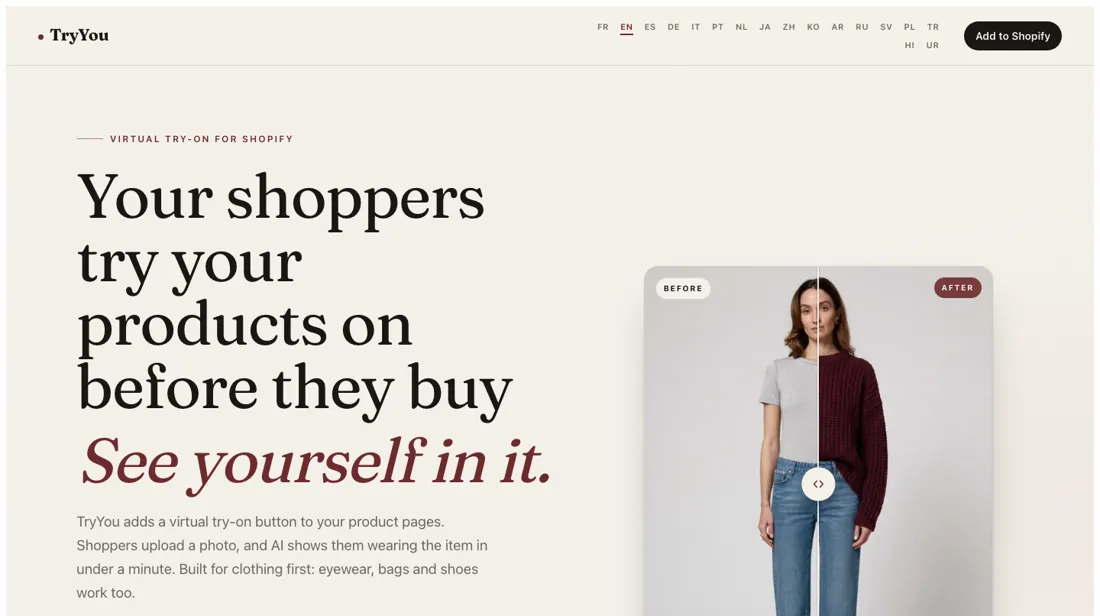
Shopify app that adds an AI virtual try-on button to product pages: shoppers upload a photo and see themselves wearing the item, with no monthly fee and usage billed per successful try-on through Shopify.
The quality level is the price
There is no plan to upgrade to: every feature is on, and what you choose is the render quality, which sets the price per try-on. Light at $0.04 is a fast, lower-detail render; Pro at $0.19 is what the vendor marks as most picked; Ultra at $0.58 renders at 2K. Between Light and Ultra the same 100 try-ons cost about $4 or about $58. Use the 10 free try-ons in the private playground to compare levels on your own products before going live, and set the monthly cap low at first.
The cost grows with how many shoppers use the button, not with your sales, so a popular button on a low-margin product can cost more than it brings in.
How to actually use Try You
Install the app from the Shopify App Store and use the 10 free try-ons in the private playground on a few of your own products; nothing appears on the storefront until you switch it on. Then add the try-on block to your product pages from the theme editor (it needs an Online Store 2.0 theme) and set a monthly spending cap. Decide whether you want the optional email capture before the result is shown; it can push leads to Shopify Customers or Klaviyo.
Check the built-in analytics after a few weeks: they attribute orders and revenue to try-ons, and that number tells you whether the per-try-on cost is worth it.
Distilled from The Shopify App Store listing at apps.shopify.com/tryyou (pricing block, features, data access, developer Swicelso OÜ in Tallinn, launched 13 May 2026) and the vendor site tryyou.fly.dev with its terms and privacy policy, all read on 24 October 2026. An earlier research pass on 15 October 2026 found the same quality-level prices.
The natural comparison is A size guide and model photos — The alternative most stores already have is a good size guide plus photos of the item on models of different builds, which costs nothing per view. Try You adds a picture of the shopper themselves, at $0.04 to $0.58 per try-on (read 24 October 2026). Its own analytics attribute orders to try-ons, so after a few weeks you can see whether that beats what the photos alone were doing..
Frequently asked questions
What does Try You cost?
Read on 24 October 2026: nothing to install and the first 10 try-ons are free. After that you pay per successful try-on, from $0.04 on Light to $0.58 on Ultra, billed in USD on your Shopify invoice, with a monthly cap you set between $5 and $10,000. There is no monthly subscription.
Are shopper photos stored?
The privacy policy says selfies are sent to Google (Gemini) or OpenAI depending on the quality level, or, only as a fallback when those models decline the photo, to ByteDance/BytePlus (Seedream, Singapore region), and are never stored in Try You's database. IP addresses are kept only as a SHA-256 hash, for at most 90 days.
What store data does it ask for?
The listing shows it needs to view and edit customers, view products, view orders (all order history for the last 60 days) and view store analytics. Edit access to customers is used for the optional email capture; weigh that before installing.
Does it work for jewellery and watches?
Watches and jewellery are listed among the supported categories. The vendor's own site also says results for watches and fine jewellery are less reliable, so test those products in the free playground first.
Is this a hands-on review of Try You?
This is a researched assessment, not a hands-on test — where we've used a tool ourselves, we say so explicitly. We name what each tool is good and bad at, and we earn a commission only if you sign up, at no cost to you.
- Read 2026-10-24 on the Shopify App Store listing apps.shopify.com/tryyou, the vendor site tryyou.fly.dev, its terms and its privacy policy.
- A dated screenshot of that pricing page, kept on this site as the receipt.
Others in this category
Reviewed e-commerce tools that share ground with Try You — comparable in what they do, not drop-in swaps:
New reviews, price changes we recorded, and the cost conditions we found. No sponsored placements. Unsubscribe anytime.
This is our researched assessment — not a paid placement. The “Visit” links on this page are affiliate links: we may earn a commission if you sign up, at no extra cost to you, and it never changes our take. How we review →