Reply.io Review (2026)$89 Buys Unlimited Contacts
 By Daan Haket · Researched and written with an AI assistant · who does what
The $89 is the Multichannel track on annual billing, and it does include LinkedIn, calls, SMS and WhatsApp — $99 month to month. Throughout this review we weigh it against Outreach.
sales teams running structured multichannel outbound (email + LinkedIn + calls) who want sequences, warmup and a B2B database in one platform.
you only send plain email sequences (cheaper single-channel tools exist), or your list is too small to justify per-seat-plus-add-ons math.
Transparency: the “Visit” links on this page are affiliate links — we may earn a commission if you sign up, at no extra cost to you. No vendor can pay for a better review or verdict. How we make money →
Pricing (2026)
✓ Pricing re-verified 9 Oct 2026
| This tool | $49 | 4th cheapest of 5 |
| Cheapest | $14 | Pipedrive |
| Median | $39 | |
| Most expensive | $49 | Streak |
Lowest paid entry price per seat a month, billed annually, in USD, among the 5 sales & outreach tools we have researched (read between 2026-08-26 and 2026-10-09). Only tools priced in the same unit and on the same billing are compared — not a market survey, and cheapest is not best.
Three separate tracks, and the one you pick changes the arithmetic completely. Email Volume is priced by active contacts. Billed annually it is $49, $59, $69 and $89 per user a month for 1,000, 2,000, 3,000 and 5,000 contacts, then, for unlimited users, $159 for 10,000, $259 for 25,000, $459 for 50,000 and $899 for 100,000, with 200,000 and up quoted; month to month the same tiers are $59, $69, $79, $99, $179, $299, $499 and $999.
Multichannel is all-inclusive from $89 per user a month billed annually ($99 monthly) with unlimited active contacts, adding LinkedIn, SMS, calls and WhatsApp, 10 mailboxes (5 on monthly) and 50 live data credits. AI SDR (Jason) runs $500, $800 or $1,000 a month billed annually at Starter (1,000, 2,000 or 3,000 contacts) and $1,500 or $3,000 at Growth (5,000 or 10,000), $800 to $5,000 month to month, with Enterprise quoted.
Agency Core starts at $210/month and Agency AI SDR at $500 per client. Add-ons on top of the Email track: LinkedIn automation $69/month per account, calls and SMS $29/month per account, AI/live-data credits from $39/month and email validation from $20/month. Each mailbox beyond the number a plan includes also needs a $29/month email account seat on top of the mailbox price. Plans change — always verify the live price on their site.
Category context: Growth & Revenue. Across the 83 tools in this category that we researched with a public US-dollar price, the median entry price is about $30 a month (lowest paid plan as listed, per seat where the vendor prices per seat). Reply.io’s entry price of $49 a month sits above that median. Compare pricing conditions in the Software Cost Atlas →
What the price did
We capture Reply.io’s own pricing page every month and keep the figures, so this is our record of the page — not a forecast, and not someone else’s summary.
Reply's published rates held across the summer. Our July and August 2026 captures both record the same $69 per LinkedIn account, the same $29 for calls and SMS, and the same 'starts from' figures of $59, $99, $166 and $500 across the tracks. The machine-readable breakdown we read on 17 August 2026 matches. What changes between quotes is which track you are on, not the rate card.
What the pricing page doesn’t say
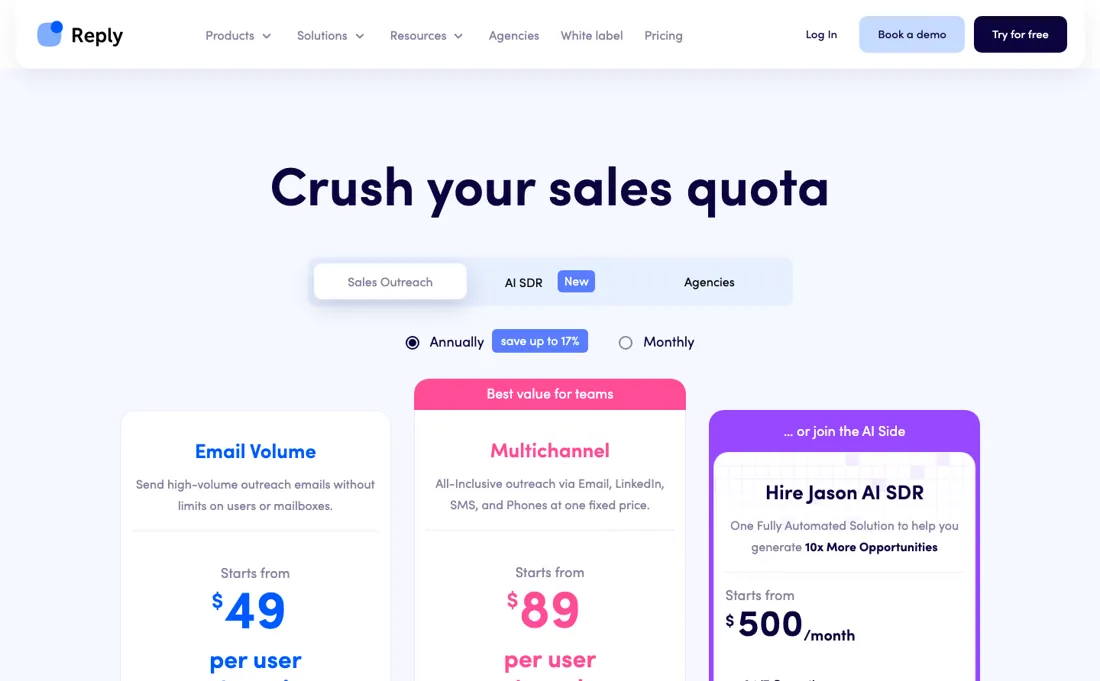
The trap is the cheaper Email track: it starts at $49 for 1,000 contacts, but LinkedIn automation ($69 per account) and calls and SMS ($29) are add-ons there, so one seat with both is $147 against $89 for Multichannel. Budget the track that matches your channels, plus sending infrastructure (domains, warmup) that any cold-outreach stack needs. The platform is genuinely capable; the pricing just rewards reading this paragraph before the demo call.
Watch the video review
The video version of this review, from our YouTube channel.
⚡ Short on time? Watch the 30-second verdict Short.
What Reply.io does
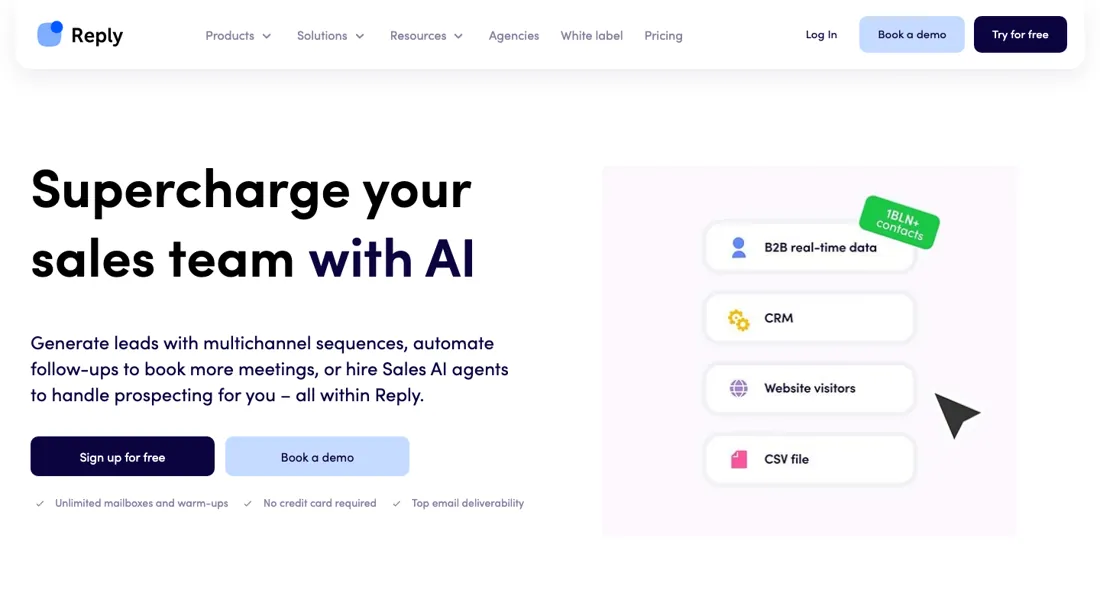
AI-driven sales engagement platform. Automate your cold outreach across email, LinkedIn, and calls while keeping the human touch. Now includes a mobile app (Jason AI) for iOS and Android to run outreach on the go.
What buyers report about Reply.io
Hands-on: not tested by usReported by buyers: G2, Trustpilot, Reddit, Product Hunt and SourceForge, read August 2026, Product Hunt and SourceForge October 2026
Themes from the buyer-review sites listed at the foot of this page, read in August 2026, Product Hunt and SourceForge October 2026. We have not run Reply.io ourselves, so this is other buyers' experience rather than ours. We summarise it here because the complaints are usually the part a vendor page leaves out.
- • Automation depth and multichannel sequences are what SDR teams rate — 4.6 on G2 across 1,542+ reviews, with support quality at 9.3 out of 10.
- • Once workflows are configured properly, reviewers report it genuinely saving time.
- • Billing is the most documented complaint on every platform. A Reddit PSA thread details a promo price of about $499/month for Jason AI becoming $1,200+ in-product, with no self-serve cancellation.
- • Multiple reviewers use scam-alert language about the free trial specifically. Read the trial terms and set a reminder.
- • In August 2026 reviewers found the per-user Professional plan cost a two-rep team well above its list price once enrichment and CRM sync were added; Reply has since restructured its pricing into separate tracks, so check the price section for today's figures.
- • Chrome-extension LinkedIn automation carries an estimated 3-5% account restriction rate per active user over 90 days.
- • Support response times of 24-72 hours are reported alongside the high G2 support score — the two coexist.
- • On Product Hunt (3.8 across only 4 reviews, all two to three years old, read October 2026) the recurring complaint is LinkedIn: one reviewer says the LinkedIn session switches off daily so campaigns stop without warning, and another paid for the LinkedIn add-on, could not get a campaign running and was refused a refund on the first day.
- • The same Product Hunt reviewer who calls it affordable for a startup finds the data credits expensive and notes that Reply charges for risky emails, though his bounce rate stayed under 5%.
Where the ratings disagree. SourceForge lists Reply with no reviews at all (October 2026), and the vendor-supplied pricing block there is out of date: an Agency plan at $166 and 5 mailboxes per user on Multichannel, against $210 and 10 mailboxes on Reply's own page. Product Hunt is too small and too old to weigh. G2 and Trustpilot remain the record, and they disagree on billing, which G2 scores well and Trustpilot and Reddit do not.
Pages read (August 2026, Product Hunt and SourceForge October 2026): Trustpilot, Product Hunt, SourceForge
Count seats before you count contacts
Reply sells three separate tracks and the one you pick changes the arithmetic. Email Volume is priced on active contacts, the unique people who get a first-step email in a month. Billed annually it is $49 for 1,000, $59 for 2,000, $69 for 3,000 and $89 for 5,000, each per user; from 10,000 the price covers unlimited users: $159 for 10,000, $259 for 25,000, $459 for 50,000 and $899 for 100,000.
Multichannel is $89 per user a month billed annually ($99 monthly) with unlimited active contacts, LinkedIn, calls, SMS and WhatsApp, and 10 mailboxes (5 on monthly). For one person the comparison is short. At 5,000 contacts both cost $89, and the Email track only adds channels by add-on: LinkedIn at $69 per account and calls and SMS at $29, so 1,000 contacts plus LinkedIn is already $118. For a team the per-user line flips it.
Multichannel multiplies by seats; the Email track stops doing so at 10,000 contacts. Two users on Multichannel are $178 a month and three are $267, while 10,000 contacts on the Email track is $159 for the whole team. Count seats and channels together before you pick. What upgrading does not fix: Multichannel's limit is mailboxes, not contacts. Each mailbox you buy beyond the included ten needs an additional email account seat at $29 a month on top of the mailbox itself, and a deleted mailbox is not refunded.
Unlimited contacts is not unlimited sending; your daily send discipline per mailbox sets the ceiling. AI SDR is a different purchase. Jason runs $500, $800 or $1,000 a month billed annually for 1,000, 2,000 or 3,000 contacts and $1,500 or $3,000 at 5,000 or 10,000; month to month the same tiers are $800 to $5,000. The page advertises "save up to 50%" on annual billing; the tables give 33% to 40%. Price it against a person's salary, not against the sending tools.
Our monthly capture read this vendor's pricing page in July 2026 and again in August 2026, and the amounts were the same both times. We keep watching — the registry records what moves.
How to actually use Reply.io
Pick your track before you look at any price, because the three are different products rather than tiers. Multichannel at $89 a month billed annually gives unlimited active contacts plus LinkedIn, SMS, calls and WhatsApp. The Email Volume track is priced per active contact, per user up to 5,000 contacts and for unlimited users from 10,000. For one person it is only the cheaper choice below 5,000 contacts with no add-ons, since a single add-on takes it past $89; for a team of two or more, the 10,000-contact tier at $159 undercuts Multichannel at $89 per user.
Then count mailboxes rather than contacts, because that is Multichannel's real ceiling: ten on annual billing and five on monthly. Multiply by whatever daily send discipline you keep per mailbox — and cold outreach lives or dies on that discipline — and you have your actual sending capacity, which is the number the plan does not tell you. Budget the sending infrastructure separately. Domains, mailboxes and warm-up are what any cold-outreach stack needs and none of it is in the subscription, so plan on 1.5 to 2 times the sticker before the platform is genuinely working.
If AI SDR is on the table, price it against a person rather than against software. At $500 to $1,000 a month for 1,000 to 3,000 contacts, Jason costs seven to fifteen times what the same contact volume costs on the email track — because what you are buying there is the writing and the sequencing, not the sending.
Where this section comes from: our research notes (193 words)
Reply's own pricing page, reply.io/pricing/, read 10 September 2026 in a browser (the page answers plain HTTP clients with 403). The three tracks and their entry rates are on the cards — Email Volume from $49 per user per month billed annually with 1,000 active contacts, Multichannel from $89, and Jason AI SDR from $500 a month — and the add-on rates sit below them (LinkedIn automation $69 per account per month, Calls & SMS $29).
The full active-contact ladder our review prints (2,000 / 3,000 / 5,000 / 10,000 / 25,000 / 50,000 / 100,000 and the amounts $59, $69, $89, $159, $259 and $459, plus Agency Core at $210 and Multichannel's $99 monthly rate) sits behind the volume selector on the same page and is present in its markup. The annual saving is shown as 'save up to 17%' and the trial as 14 days.
Re-read 9 October 2026 in a browser (https://reply.io/pricing/) and in Reply's own machine-readable pricing file linked from that page (https://reply.io/reply-io-pricing.txt, page last modified 30 July 2026), which also carries the domain-and-mailbox billing rules from Reply's support articles "Buying domains & mailboxes" and "Pre-warmed domains & mailboxes".
Reply.io vs Apollo, side by side
Each column shows the vendor’s own published entry price, read on the date shown. Entry prices can cover different services or units, so check what each one buys. We do not average them into a score.
Both names above are affiliate links: we may earn a commission if you sign up, at no extra cost to you. Neither changes what this table says.
The natural comparison is Instantly or Apollo — Instantly is cheaper email-first, Apollo bundles a bigger database — Reply's edge is mature multichannel sequencing; compare real per-seat totals. Weigh it against Outreach on the job you actually need done.
Frequently asked questions
What does Reply.io cost?
It depends which of the three tracks you buy. Email Volume starts at $49 per user a month for 1,000 active contacts billed annually ($59 monthly), is priced for unlimited users from 10,000 contacts ($159) and reaches $899 at 100,000. Multichannel is $89 per user a month billed annually with unlimited contacts. The Jason AI SDR track starts at $500 a month billed annually ($800 monthly). Read 9 October 2026.
Why do people say multichannel costs far more than advertised?
Because on the Email track it does: LinkedIn automation is $69 a month per account and calls and SMS $29, so bolting both onto a $49 email plan lands you near $150 before data credits. The all-inclusive Multichannel plan at $89 a month annually already contains them, which is why the cheaper-looking track is often the more expensive one. Work out which channels you actually need first.
Is the AI SDR worth ten times the price?
That is the question the price forces, and the honest answer is that it is a different purchase: $500 to $1,000 a month buys an agent that sources and researches prospects, against $89 for a tool you drive yourself. Judged as software it looks expensive; judged against the cost of an SDR it does not. Decide which of those two budgets it comes out of before comparing it with sequencing tools.
Will Reply's LinkedIn automation get my account suspended?
Nothing removes that risk, but Reply ships the two controls that matter and sets them conservatively out of the box, and the numbers are the ones to plan capacity around (read on Reply's own help centre, 11 September 2026). Daily caps are per action per account: connection requests, profile views, likes, InMails, endorsements and follows default to a 25-35 range, messages to 35-50, and you either keep the range, in which case Reply picks a different number inside it each day, or fix a single number, with 100 the ceiling for any action. Between actions sits a randomised pause, 60 to 120 seconds by default and adjustable from 30 seconds upward. So one connected LinkedIn account is roughly 25 to 35 connection requests a day at the defaults, whether that account came inside Multichannel or as the $69-a-month add-on, and caps reset on UTC with edits taking effect the following day.
Is the Email Volume plan priced per user?
Up to 5,000 contacts, yes. Reply's pricing file (read 9 October 2026) lists $49, $59, $69 and $89 per user a month billed annually for 1,000 to 5,000 active contacts; from 10,000 contacts the price covers unlimited users: $159, $259, $459 and $899 for 10,000 to 100,000. So two people at 5,000 contacts pay $178 a month on either Email Volume or Multichannel, while 10,000 contacts on Email Volume is $159 for the whole team.
What does an extra mailbox cost on Multichannel?
More than the mailbox. Reply's pricing file, which quotes its support article "Buying domains & mailboxes" (read 9 October 2026), says each purchased mailbox beyond the number a plan includes (10 on annual Multichannel, 5 on monthly) also needs an additional email account seat at $29 a month. The mailbox itself is $5 a month fresh or $15 pre-warmed, with pre-warmed domains at $25 a year and three mailboxes each. You pay for seats rather than mailboxes, and deleting a mailbox is not refunded. Email Volume lists unlimited mailboxes under a fair-usage policy.
How much does annual billing save on Jason AI SDR?
Less than the label. The AI SDR tab advertises "save up to 50%" on annual billing, but the tables in Reply's pricing file (read 9 October 2026) give $500 against $800, $800 against $1,200, $1,000 against $1,500, $1,500 against $2,500 and $3,000 against $5,000, savings of 33% to 40%. On Email Volume the advertised "up to 17%" checks out at the 1,000-contact tier ($49 against $59).
Is this a hands-on review of Reply.io?
This is a researched assessment, not a hands-on test — where we've used a tool ourselves, we say so explicitly. We name what each tool is good and bad at, and we earn a commission only if you sign up, at no cost to you.
- Buyer reviews on G2, Trustpilot, Reddit, Product Hunt and SourceForge, read August 2026, Product Hunt and SourceForge October 2026.
- Re-verified 2026-10-09 in a browser on reply.io/pricing/ and in Reply's own machine-readable pricing file.
- A dated screenshot of that pricing page, kept on this site as the receipt.
Others in this category
Reviewed growth & revenue tools that share ground with Reply.io — comparable in what they do, not drop-in swaps:
New reviews, price changes we recorded, and the cost conditions we found. No sponsored placements. Unsubscribe anytime.
This is our researched assessment — not a paid placement. The “Visit” links on this page are affiliate links: we may earn a commission if you sign up, at no extra cost to you, and it never changes our take. How we review →