 Drip Review (2026)“Unlimited” Sending Stops at 30,000
The word “unlimited” quietly expires.
Watch the 2-minute review
The video version of this review, from our YouTube channel.
Pricing (2026)
✓ Pricing re-verified 17 Sep 2026
| This tool | $39 | 10th cheapest of 13 |
| Cheapest | $4.99 | Meeri |
| Median | $19.99 | |
| Most expensive | $50 | Serpstat |
Entry price per month, USD. Our own dated readings of 13 marketing tools — not a market survey, and cheapest is not best.
(ladder re-read on drip.com/pricing on 17 September 2026; every rung below was confirmed on the live slider and matches the page's own pricing object) One ladder, no tiers: you drag a slider to your list size and Drip prints a monthly price. The page now headlines it as paying for your list size and how many emails you send. 1-2,500 people is $39, then $49 at 3,000, $59 at 3,500, $69 at 4,000, $79 at 4,500, $89 at 5,000, $99 at 6,000, $109 at 7,000, $124 at 8,000, $139 at 9,000, $154 at 10,000, $169 at 12,500, $209 at 15,000, $249 at 17,500, $289 at 20,000, $329 at 22,500, $369 at 25,000, $409 at 27,500, $449 at 30,000 and $489 at 32,500; from there it climbs $40 a rung to $609 at 40,000, $649 at 45,000 and $699 at 50,000, after which every extra 5,000 people costs $50 — $1,299 at 110,000, $1,949 at 175,000, and a last published rung of $1,999 for 175,001-180,000 people.
Above 180,000 the price is replaced by “Let’s chat”, though the card keeps printing a send allowance. The trial is 14 days and takes no card, and their FAQ states unlimited emails are not available during it. Three things the ladder does not advertise. Chat support is not included at the entry price: up to 5,000 people the line reads “Email support”, and “Chat and email support” only appears from $99 (6,000 people).
“Unlimited email sends” stops being literally true at 30,001 people, where the bullet becomes “390,000 email sends” and every rung above it carries exactly twelve sends a month per person at the top of the bracket — 600,000 at 50,000 people, 2,160,000 at 180,000. And the card is not the same at every rung: free migration and personalized onboarding appear from 15,001 people ($249) and are absent on every rung below that.
What is carried at every price is up to 50 workflows, unlimited sub-accounts, open API access, dynamic segments, onsite campaigns and the Drip MCP connection, which their FAQ describes as included at no extra cost. Plans change — always verify the live price on their site.
What the pricing page doesn’t say
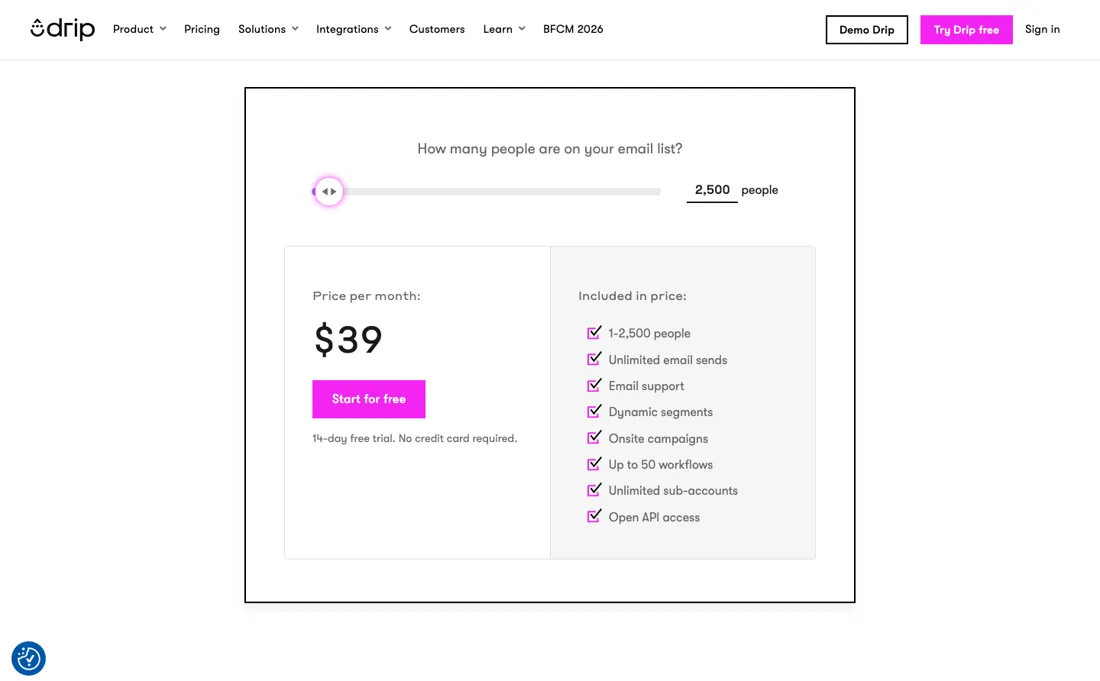
At the prices most small shops pay, the send allowance really is uncapped. But the switch has an exact address: unlimited holds to 30,000 people, and from 30,001 the bullet becomes a hard number — 390,000 sends there, 600,000 at 50,000 people, twelve per contact per month. Drip never flags the switch. If you run a daily-deal or high-frequency list, do the arithmetic before you migrate: twelve sends per contact is generous for a monthly newsletter and tight for anything that mails several times a week.
The second thing to price in is service. The card looks the same at every level, but two lines on it are not: you cannot talk to anyone in chat until $99/month, and free migration and personalized onboarding only appear from 15,001 people ($249). Below those thresholds it is email support and your own move, which is a real difference on the day a broken automation is sending to the wrong segment.
What Drip does
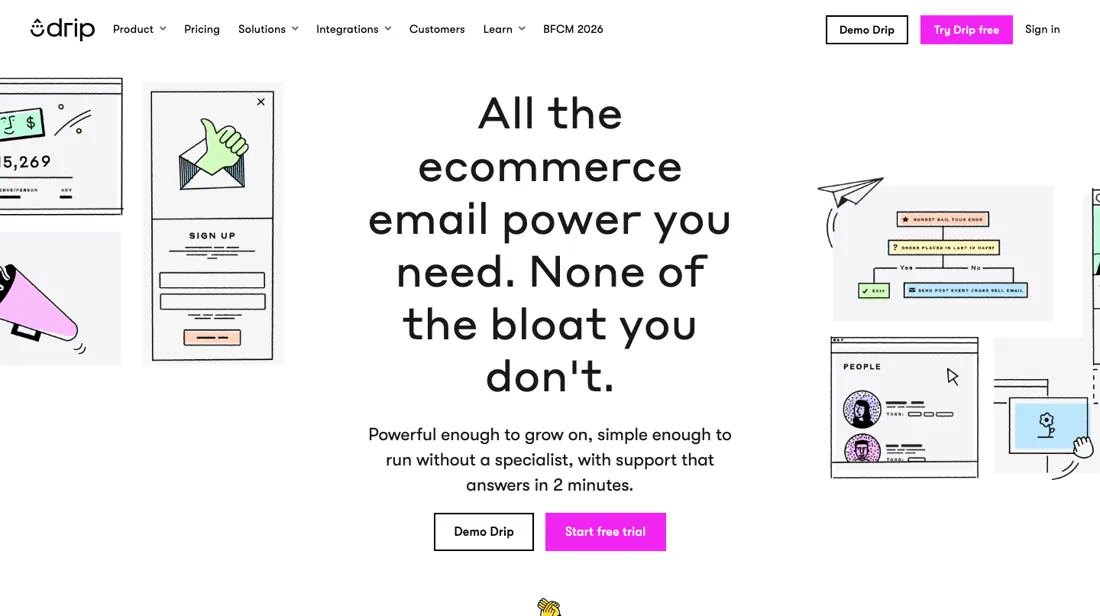
Ecommerce email and onsite marketing built around your store's order data — segments, abandoned-cart and welcome playbooks, pop-ups and A/B testing, with one-click links to Shopify, WooCommerce and BigCommerce.
What buyers report about Drip
Recurring themes from the buyer-review sites listed at the foot of this page, read in August 2026. We have not run Drip ourselves, so this is other buyers' experience rather than ours. We summarise it here because the complaints are usually the part a vendor page leaves out.
- • Merchants single out the depth of the automation: multiple branches and entry points, with logic that stays usable for a small team.
- • The Shopify connection pulls order history in without an export step, so segmenting on what people actually bought is the default rather than a project.
- • Pre-built abandoned-cart, welcome and post-purchase flows are cited as the reason setup took days rather than weeks.
- • Several merchants moving from HubSpot, Mailchimp or Klaviyo report a lower monthly bill for the same work.
- • Cost is the most common Capterra complaint, with reviewers describing it as expensive for a small business and noting the price rises sharply past 5,000 subscribers.
- • Support quality is reported inconsistently: some reviewers call it fast and competent, others say it is effectively absent and that email replies take days.
- • Contacts can be searched by email address but not by name — one reviewer gives that as their sole reason for leaving.
- • Analytics are described as slow to populate and spread across too many screens, and large filter runs can take hours.
- • The move to an ecommerce-first product left content publishers behind; reviewers who do not sell online say they are paying for the half they cannot use.
- • On the Shopify listing, one merchant reports escalating and inconsistent invoices alongside customer service they could not reach, and another was stuck in a redirect loop that would not reopen the app after installing it.
Where the ratings disagree. The two platforms catch buyers at different stages. Shopify reviewers are mostly describing installation and the first automations, and they are positive. Capterra reviewers are further in and complain about price per subscriber — and they place the pain at roughly the same point our own arithmetic does, where a list of about 5,000 is the worst value on the ladder.
When the paid plan is worth it
There are no tiers to weigh up here, only a slider, so the useful question is a different one: where on that ladder do you get the least for your money? Work out the price per contact and the answer is uncomfortable for the list size most small senders have. At 2,500 people you pay $39, which is 1.56 cents a contact. It gets steadily worse from there: 1.63 cents at 3,000, 1.73 at 4,000, and a peak of 1.78 cents at 5,000 people for $89.
Then it improves again: 1.35 cents at 12,500 and 1.11 at 175,000. A list of 5,000 is the single worst place to sit on this ladder, and growing past it makes each contact cheaper rather than dearer. Two things the slider does not advertise, and both bite at the bottom. Chat support is not included at the entry price: up to 5,000 people the line reads email support only, and chat appears from $99.
And unlimited sends stops being literally true at an exact rung: it holds to 30,000 people, then becomes 390,000 sends at 30,001 -- twelve per contact per month, a generous cap but a cap nonetheless. What upgrading does not fix is the product's shape. Beyond chat, and free migration and onboarding from 15,001 people ($249), the card is identical at every rung. You are buying list capacity, not capability.
How to actually use Drip
Connect the store first, and know what that click does to the bill. Drip's own instructions are short: Settings, Integrations, Shopify, install the app, pick the account to link. But the sync brings across your whole customer list and order history, and the same article states plainly that your Drip billing increases based on the number of customers synced. On a price that is a slider tied to list size, that is your first invoice, decided in one step.
Next comes the app embed, a JavaScript snippet you switch on from the integration page so Drip can track page visits and product views. Only then build a workflow. Triggers are forward-facing: Drip's guide says they apply only to people who meet the condition after the workflow is turned on, so nothing fires retroactively for the list you just imported. Use the 14-day trial for shape rather than sending -- unlimited emails are switched off during it.
Distilled from Drip's help centre articles Connect Your Shopify Store (help.drip.com/hc/en-us/articles/4424695491725-Connect-Your-Shopify-Store) and Getting Started with Workflows (help.drip.com/hc/en-us/articles/4424702569357-Getting-Started-with-Workflows), plus the FAQ on drip.com/pricing, all read 19 August 2026.
The natural comparison is Klaviyo — the comparison Drip picks itself — it publishes a Drip vs. Klaviyo page — and the one most ecommerce teams actually make. Both price on list size and both live off store data; the practical question is what the send allowance and the support line look like at your volume, which is where Drip's ladder is unusually easy to read and unusually quiet about the twelve-sends ceiling.
Frequently asked questions
What will Drip cost for my list size?
There is one slider and no tiers, so the price is a lookup rather than a decision. Read on drip.com/pricing on 17 September 2026: $39 for 1-2,500 people, $49 to 3,000, $59 to 3,500, $69 to 4,000, $79 to 4,500, $89 to 5,000, $99 to 6,000, $109 to 7,000, $124 to 8,000, $139 to 9,000, $154 to 10,000 and $169 to 12,500. After that it moves in $40 steps of 2,500 people to $449 at 30,000, then $50 per 5,000 people from $699 at 50,000 up to $1,949 at 175,000. The last published rung is $1,999 for 175,001-180,000; above that the price is replaced by an invitation to book a demo. Worth knowing before you compare: the worst value on this ladder is a list of 5,000 people, at 1.78 cents per contact, and growing past that point makes each contact cheaper rather than dearer.
Is “unlimited email sends” really unlimited?
Up to a point that the page states but does not flag. On 17 September 2026 the bullet reads “Unlimited email sends” on every rung to 30,000 people. Move the slider one person further and the same bullet becomes “390,000 email sends”, and it stays a number from there on: 600,000 at 50,000 people, 900,000 at 75,000, 2,160,000 on the last published rung at 180,000. In every case the allowance is exactly twelve sends a month per person at the top of your bracket. For a monthly or weekly newsletter that ceiling is far away. For a list that mails several times a week it is not, and the arithmetic is worth doing before you migrate rather than after. Note too that unlimited sending is switched off during the 14-day trial, so the trial will not show you where the ceiling sits.
What do I get on a higher rung besides room for more contacts?
Two things, and both have an exact address on the slider. Chat support is the first: up to 5,000 people the card reads “Email support”, and “Chat and email support” appears at $99, the 5,001-6,000 rung. Free migration and personalized onboarding are the second, and they are newer: they appear at the 15,001-17,500 rung ($249) and are absent on every rung below it, which matters if you are moving a list off another platform and were planning to do it on the entry price. Everything else on the card is carried at every price, including up to 50 workflows, unlimited sub-accounts, dynamic segments, onsite campaigns, open API access and the Drip MCP connector, which their FAQ says is included at no extra cost and connects the account to an AI client in about five clicks. All read 17 September 2026.
What should I weigh before buying Marketing software?
Usually yes for the major platforms, but check yours specifically. Tools in this class typically ship native connectors for the big CMS, CRM and email platforms and fall back on Zapier, webhooks or an API for everything else. The practical question is whether your stack is on the native list or needs glue, because a missing native connector normally means either manual work or a paid middleware layer. Check the integrations page for your exact tools before you buy.
Is this a hands-on review of Drip?
This is a researched assessment, not a hands-on test — where we've used a tool ourselves, we say so explicitly. We name what each tool is good and bad at, and we have no affiliate relationship with Drip — we earn nothing whether you sign up or not.
- Buyer reviews on the Shopify App Store and Capterra, read August 2026.
- Ladder re-read on drip.com/pricing on 17 September 2026; every rung below was confirmed on the live slider and matches the page's own pricing object.
- A dated screenshot of that pricing page, kept on this site as the receipt.
Others in this category
Reviewed marketing tools that share ground with Drip — comparable in what they do, not drop-in swaps:
New reviews, price changes we recorded, and the cost conditions we found. No sponsored placements. Unsubscribe anytime.
This is our researched assessment — not a paid placement. How we review →