CarouselBot Review (2026)AI Carousels From $10 a Month
 By Daan Haket · Researched and written with an AI assistant · who does what
Free exports carry a watermark and the free card sets, batch and document are lifetime totals, not monthly.
solo creators, consultants and small marketing teams who post LinkedIn and Instagram carousels every week and want to turn articles and ideas into branded slides without designing them by hand.
you want free-form layouts in a full design tool; you need scheduling and publishing in the same app, which the pricing page does not list; or you post a carousel only now and then and the watermark-free plans are more than you need.
Transparency: the “Visit” links on this page are affiliate links — we may earn a commission if you sign up, at no extra cost to you. No vendor can pay for a better review or verdict. How we make money →
Pricing (2026)
✓ Pricing re-verified 17 Oct 2026
Free is $0 forever: 3 carousels a month, plus 3 card sets, 1 batch collection and 1 document in total, up to 2,500 words per document, and PNG, JPG and PDF exports with a watermark. Creator is $10 a month, or $79 a year on annual billing (shown as $6.58 a month): unlimited carousels, 3 card sets, 3 batches and 10 documents a month, up to 5,000 words per document, no watermark.
Pro is $30 a month, or $249 a year (shown as $20.75 a month): unlimited card sets, batches and documents, up to 10,000 words per document. The annual cards cross out $120 and $360, twelve monthly payments. Business is a starting price of $50 a month for agencies and teams, adding bulk creation from up to 50 URLs; its final price and billing are not stated.
The FAQ offers a 7-day money-back guarantee on all paid plans, requested by email; after cancelling you keep access until the billing period ends, then drop to Free, and saved work stays in your library. Plans change — always verify the live price on their site.
Category context: Marketing. Across the 27 tools in this category that we researched with a public US-dollar price, the median entry price is $29 a month (lowest paid plan as listed, per seat where the vendor prices per seat). CarouselBot’s entry price of $10 a month sits below that median. Compare pricing conditions in the Software Cost Atlas →
What the pricing page doesn’t say
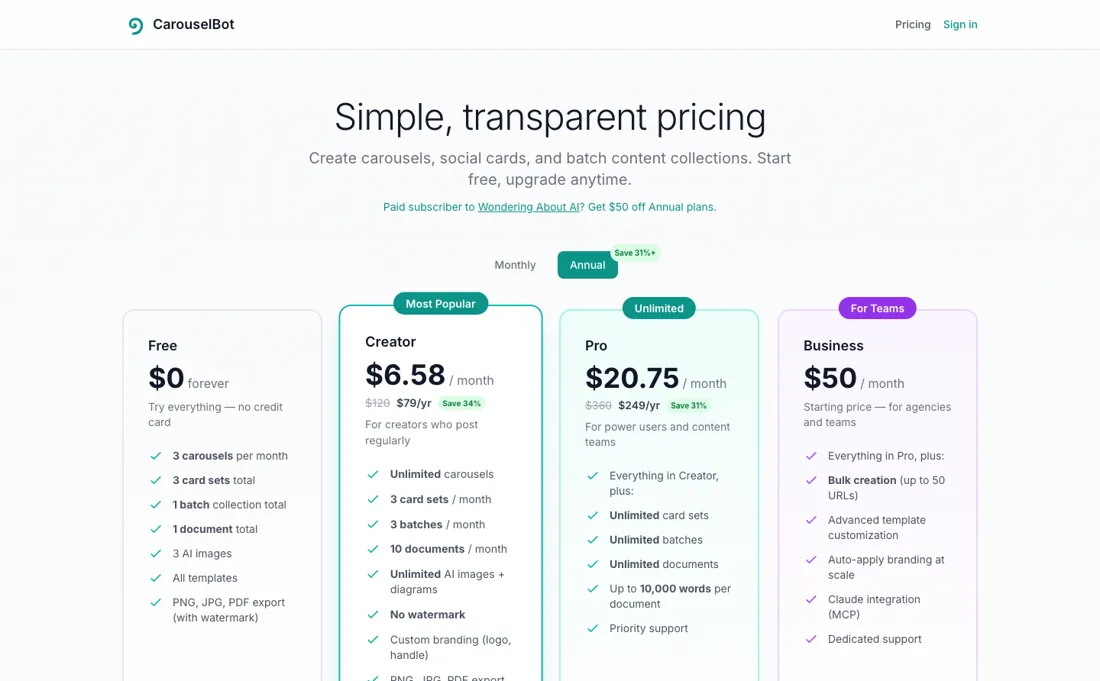
Creator allows only 3 batches a month. The refund window is 7 days, the cards do not name their currency, and Business is only a starting price.
What CarouselBot does
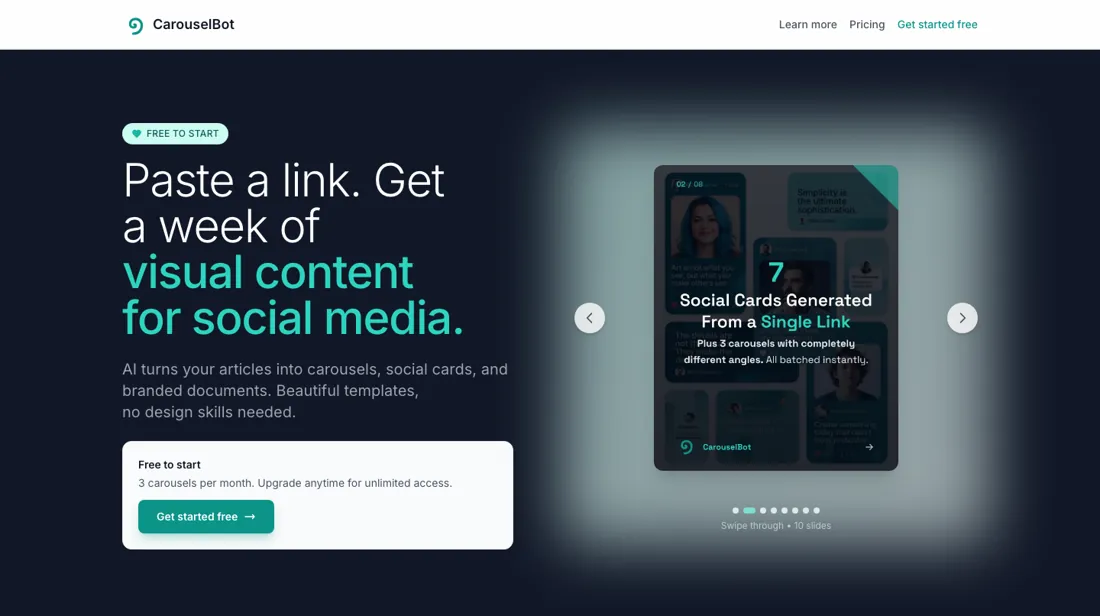
AI tool that turns a topic or an article into LinkedIn and Instagram carousels, single social cards, branded long-form documents and batch content sets, in four aspect ratios with your own brand settings.
Creator removes the watermark; Pro removes the caps
Free is a trial in practice: every export carries a watermark, and the card set, batch and document allowances are totals for the life of the account, not monthly. Creator at $10 a month is the first plan you can publish from without the watermark, and carousels are unlimited on it. The cap that matters on Creator is batches. The FAQ describes a batch as one piece of content turned into 3 carousels and 7 social cards, and Creator allows 3 a month, so it does not stretch to one article a week.
Pro at $30 a month lifts card sets, batches and documents to unlimited and doubles the document length to 10,000 words. On annual billing Creator is $79 instead of $120 and Pro $249 instead of $360. The 7-day money-back guarantee covers all paid plans, so test the paid plan in its first week before you rely on it.
How to actually use CarouselBot
Start on the free plan, which needs no credit card, and make one carousel from a post you have already written. CarouselBot's help page describes the flow: enter a topic, generate the slides, adjust colours, fonts and styles, then download the slides as a PDF. Add your logo, colours and font once in the brand settings so they apply to every carousel, card and document. Pick the aspect ratio for where you post: 1:1 or 4:5 for LinkedIn and the Instagram feed, 9:16 for Stories and Reels, 16:9 for X and YouTube.
Read every generated slide before you publish; the text is written by AI from your input. Free exports carry a watermark, so judge the quality on Free and pay only when you are ready to post. If the paid plan disappoints, the FAQ gives you 7 days to ask for your money back by email.
Distilled from CarouselBot's own pages: carouselbot.app/pricing, read in a browser on 17 October 2026 in both the Monthly and Annual views, with its comparison table and FAQ, and the help page at carouselbot.app/help, read on 15 October 2026. CarouselBot is an affiliate partner of ours through Lemon Squeezy. We have not used CarouselBot ourselves.
CarouselBot vs Piktochart, side by side
Each column shows the vendor’s own published entry price, read on the date shown. Entry prices can cover different services or units, so check what each one buys. We do not average them into a score.
Both names above are affiliate links: we may earn a commission if you sign up, at no extra cost to you. Neither changes what this table says.
The natural comparison is Piktochart — Piktochart is in our dossiers too: a template-based maker for infographics, reports and posters, with a free plan and Pro at $10 per member a month billed yearly when we read it on 19 September 2026. CarouselBot is narrower and more automatic: it generates the slides for social carousels and cards from your text, priced per account rather than per member..
Frequently asked questions
How much does CarouselBot cost?
Read 17 October 2026: Creator $10 a month or $79 a year, Pro $30 a month or $249 a year, and Business from $50 a month. Free costs nothing but watermarks exports. The cards show a $ sign without naming the currency.
Is there a free plan?
Yes. Free is $0 forever with no credit card: 3 carousels a month plus 3 card sets, 1 batch collection and 1 document in total, with watermarked PNG, JPG and PDF exports.
Can I get a refund?
The pricing FAQ offers a 7-day money-back guarantee on all paid plans, requested by email, with no questions asked.
What happens when I cancel?
You cancel from your account page and keep full access until the billing period ends. Then the account moves to the free plan, and saved carousels, cards and documents stay in your library.
Is this a hands-on review of CarouselBot?
This is a researched assessment, not a hands-on test — where we've used a tool ourselves, we say so explicitly. We name what each tool is good and bad at, and we earn a commission only if you sign up, at no cost to you.
- Read 2026-10-17 in a browser on carouselbot.app/pricing, Monthly and Annual views; the cards show a $ sign without naming the currency.
- A dated screenshot of that pricing page, kept on this site as the receipt.
Others in this category
Reviewed marketing tools that share ground with CarouselBot — comparable in what they do, not drop-in swaps:
New reviews, price changes we recorded, and the cost conditions we found. No sponsored placements. Unsubscribe anytime.
This is our researched assessment — not a paid placement. The “Visit” links on this page are affiliate links: we may earn a commission if you sign up, at no extra cost to you, and it never changes our take. How we review →