Klap Review (2026)Long Videos to Shorts, From $14.50
 By Daan Haket · Tested hands-on · written with an AI assistant · who does what
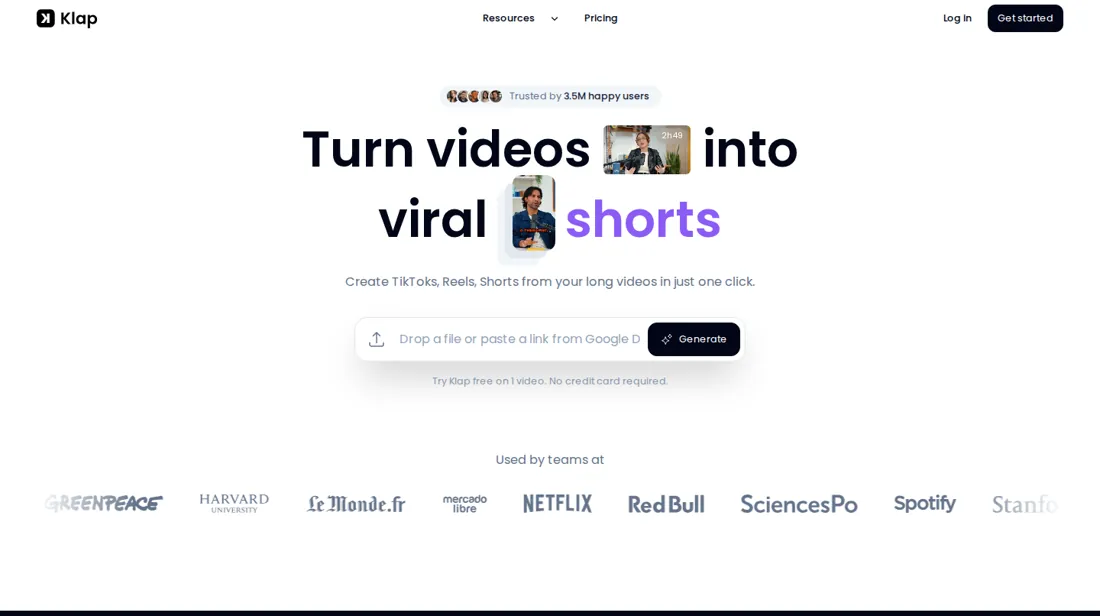
The cheap price is the yearly one: monthly billing is double, so a trial month is the costly way in.
- Best for Podcasters and creators with long videos
- Not for editors who finish every cut frame by frame
From $14.50 · Basic · per month billed yearly ($174 a year) for 100 clips a month · read 2026-11-17
Try Klap →Affiliate link: we may earn a commission if you sign up, at no extra cost to you. It never changes our verdict.
Is Klap right for you?
Your pain“I have hours of recorded video and no time to cut it into shorts by hand.”
Does Klap solve it?Vendor says yesPricing page, read 17 Nov 2026: Klap turns a source video of up to 3 hours into clips with captions, reframing and a virality score, and a paid export carries no watermark.
Your planPro, $39.50 a month billed yearly ($474 a year), 300 clips a month; $79 month to month
Try Klap →
Your pain“I am not sure I need a plan that bills a whole year upfront.”
Does Klap solve it?PartlyPricing page, read 17 Nov 2026: the free trial covers 1 video with no card, but downloading and posting need a paid plan. Monthly billing costs double the yearly rate.
Your planBasic, $14.50 a month billed yearly ($174 a year), 100 clips; $29 month to month
Try Klap →
- Editors who finish every cut frame by frame. Pricing page, read 17 Nov 2026: Klap generates the clips for you, with an editor for b-roll and hook titles, so it is built around automatic selection rather than manual timeline editing. Better fit: Descript.
The “Try” buttons are affiliate links: we may earn a commission if you sign up, at no extra cost to you, and it never changes our verdict.
Also in: Software for freelancers and solo businesses
Transparency: the “Visit” links on this page are affiliate links: we may earn a commission if you sign up, at no extra cost to you. No vendor can pay for a better review or verdict. How we make money →
Exit test (measured 2026-10-29)
- Export route
- Clip card > Download HD
- Formats
- Not tested
- Attachments included
- Not tested
- Re-import tested
- No
- Lost on export
- No separate SRT, transcript or editable project export was offered in the download routes inspected.
Formats describe this export route; offered formats may not have been inspected. Full exit test and scope ↓
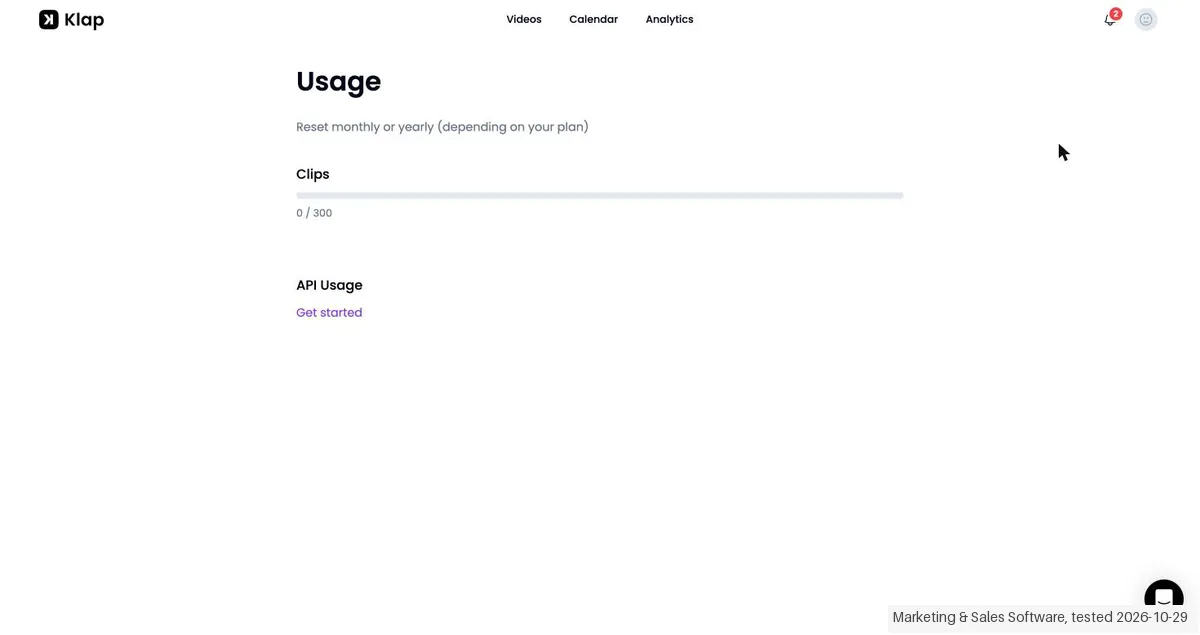
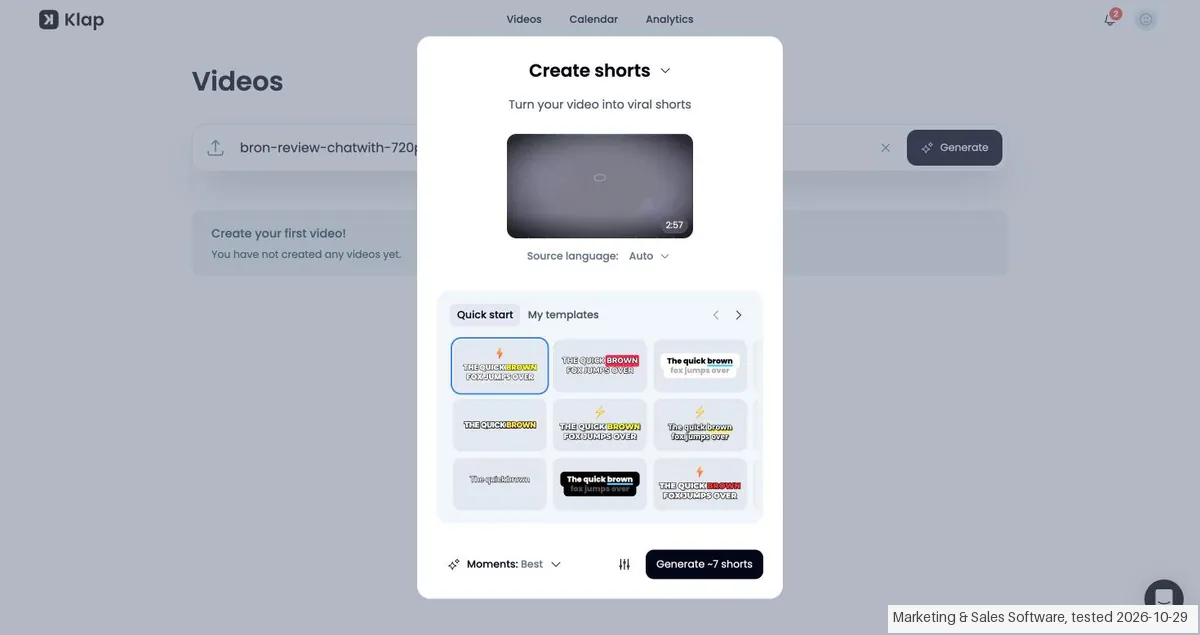
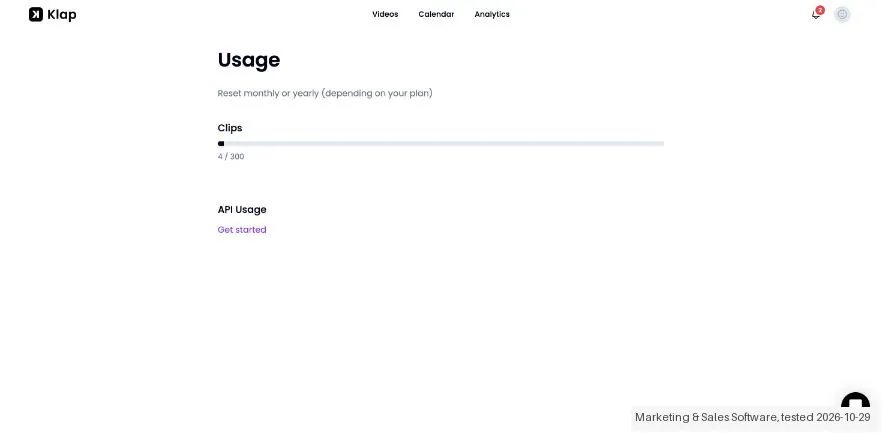
Daan created the account and our AI assistant ran the test in Daan's browser. On 29 October 2026 the session tested Klap on a 30-day Pro period that Klap itself supplied, so nothing here describes the ordinary free route. We uploaded one of our own review videos (2 minutes 57 seconds, cut down to 720p so our upload tool could carry it), asked for shorts with the default settings and downloaded one clip. The Billing page showed no subscription, only a Choose a plan button; the Usage page showed 0 of 300 clips. Nothing was paid and no card was entered.
How we tested
- Daan created the account and our AI assistant ran the test in Daan's browser
- Evidence screenshots are in English with names and addresses masked
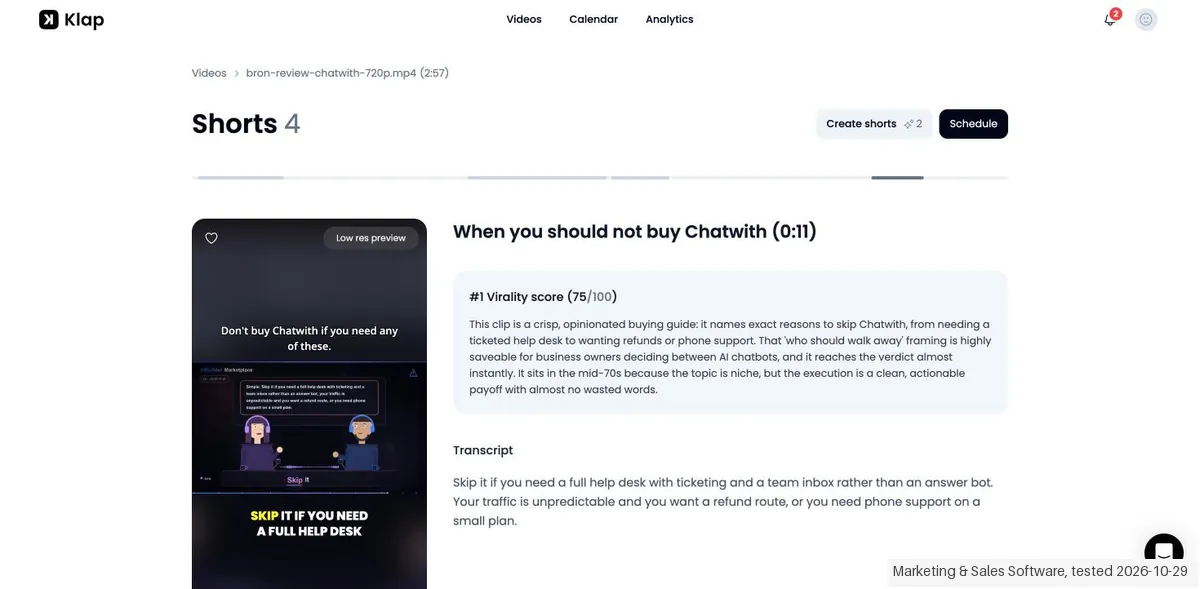
- Text we checked: "Generate ~7 shorts". What we saw: the dialog promised about 7 shorts; the finished run produced 4 shorts, each with a virality score between 65 and 75 out of 100, and the page showed the result less than 4 minutes after the start (09:52:40, done by 09:56:36 Dutch time).
- Text we checked: "Clips 0 / 300". What we saw: the Usage page counted the run as 4 clips used of 300, so a run is billed by the clips it returns, not by the 7 it announced.
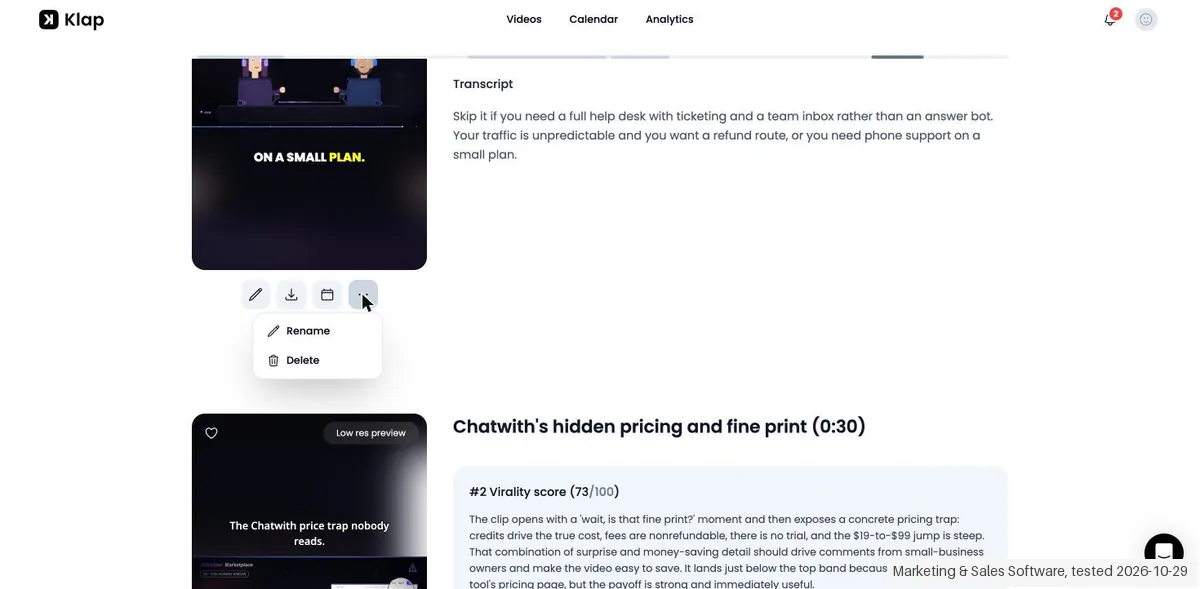
- Text we checked: "Download HD". What we saw: the downloaded MP4 measured 1080 by 1920 pixels and showed no Klap watermark in the frames we inspected; the download routes we looked at offered no separate SRT, transcript or editable project file.
Pricing (2026)
✓ Pricing re-verified 17 Nov 2026
Three plans, each with AI clipping, captions, scheduling and analytics. Basic: 100 clips a month, $14.50 a month billed yearly ($174 a year) or $29 month to month. Pro: 300 clips, $39.50 a month billed yearly ($474 a year) or $79 monthly. Pro+: 1,000 clips, $94.50 a month billed yearly ($1,134 a year) or $189 monthly. Free trial on 1 video, no card; downloading and posting need a paid plan.
API priced separately: $0.44 per input video, $0.32 per short, $0.48 per export. We have not paid for a plan. Plans change, so check the live price on their site before you buy.
Category context: Marketing. Across the 34 tools in this category that we researched with a public US-dollar price, the median entry price is $29 a month (lowest paid plan as listed, per seat where the vendor prices per seat). Klap’s entry price of $14.50 a month sits below that median. Compare pricing conditions in the Software Cost Atlas →
UMAYPTTB, 30% off your first payment with the code UMAYPTTB, shown to us in Klap's Rewardful affiliate dashboard on 26 October 2026. We have not run it through the checkout ourselves, and Klap's pricing page says it publishes no promo codes and that a code is entered at checkout on a monthly plan, so check that the discount shows before you pay.Needs confirmation: In our records; not confirmed by Klap's Rewardful affiliate dashboard, as seen by Daan on 26 October 2026. Not tested by us at a checkout.
What the pricing page doesn’t say
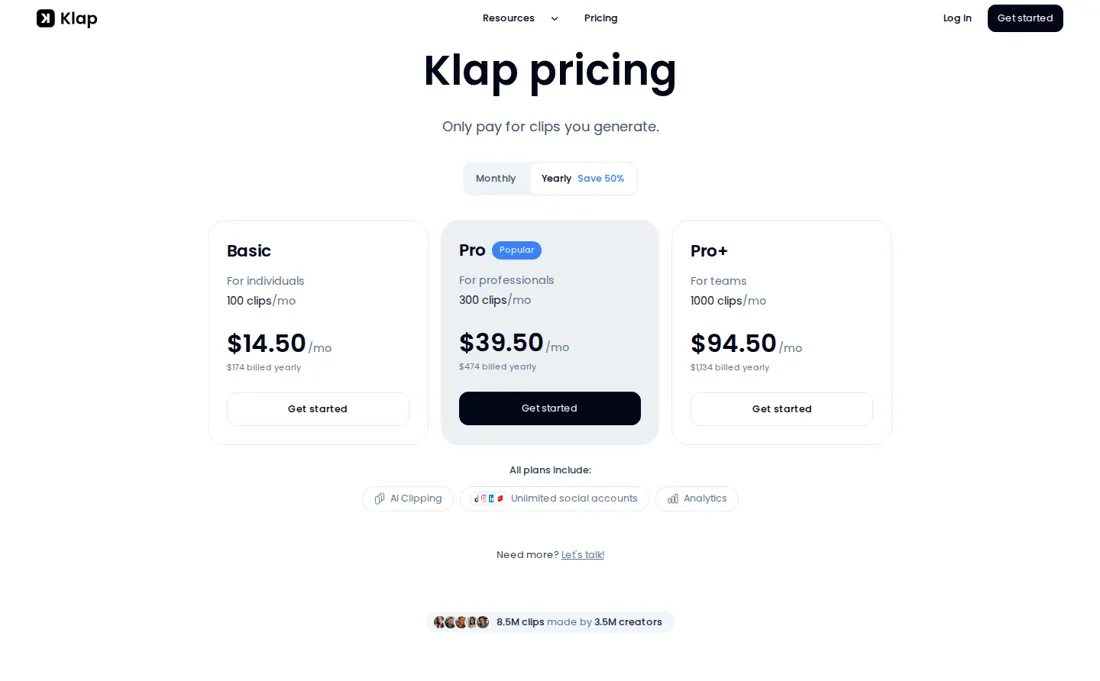
The only free try is one video, and nothing can be downloaded or posted without paying. Klap selects the clips, so the cut may not be the one you would make. We have not paid for a plan, so how it holds up over months is unknown to us.
What Klap does
AI video clipper that turns long videos into vertical clips for TikTok, Reels and Shorts, with captions, reframing, scheduling and a free trial on one video.
Plans differ by clips a month; yearly billing halves the price
The three plans differ in how many clips you get a month: Basic 100, Pro 300 and Pro+ 1,000. All include AI clipping, captions, reframing, scheduling and analytics, so the choice is volume. A one-minute video makes about 5 clips, so Basic covers roughly 20 minutes of source video a month and Pro about an hour. Billing matters as much as the plan. Yearly is half the monthly price, but you pay $174, $474 or $1,134 upfront, and the refund after the first month is 1/12 of the yearly price per unused month, up to the last 3.
What a bigger plan does not change is the API bill. The API is priced on its own, at $0.44 per input video, $0.32 per short and $0.48 per export (API pricing page read 17 November 2026), and no app plan lowers those rates. An agent connected through Klap's MCP server works the other way: it draws on your plan's clips, so a heavy agent user needs the bigger plan, not the API.
What we found running Klap ourselves
The first findings are at the top of this page. The rest:
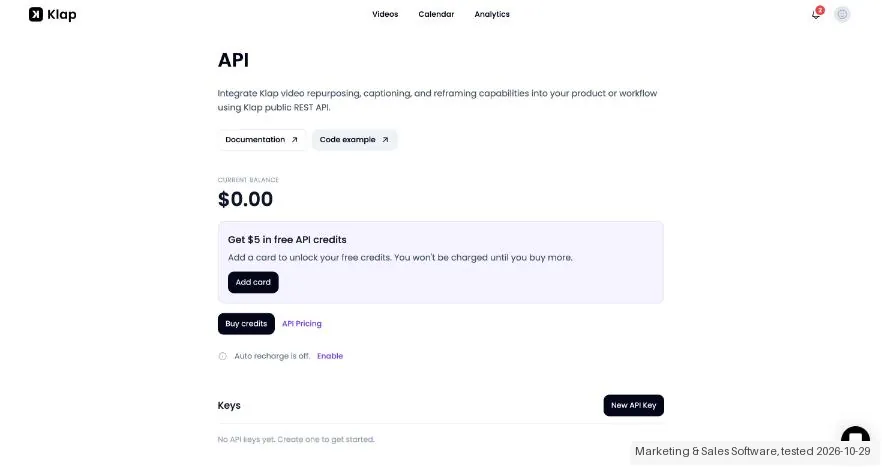
- Text we checked: "Get $5 in free API credits". What we saw: the API page holds a separate prepaid balance of $0.00, not included in Pro, and asks for a card to unlock the free credits; we created no key and made no API call.
Claim vs. what we measured
We set a claim from Klap's own pages next to what we saw in our test, on the plan named. The status says whether the two describe the same thing and match; it is not a verdict on the product. Confirmations are listed too.
| What the vendor says | What we measured | Status | What it means if you buy |
|---|---|---|---|
| Try Klap free on 1 video.Source: klap.app, read 29 Oct 2026 | Measured 2026-10-29: The account has supplier-provided Pro access; Billing shows Choose a plan, with no plan or expiry. Usage moves from 0 / 300 to 4 / 300 clips.Our test, 29 Oct 2026; Pro (30 days, supplier-provided) | Not comparableObserved statements and tested plan only. No matching validated cost rule; no tax-inclusive total inferred. Supplier-provided access is separate from the public free route. | This does not test the public one-video free route or its card requirement. The actual end of supplied access was not measured. |
| Generate ~7 shortsSource: klap.app, read 29 Oct 2026The vendor's page no longer shows this wording (checked 2026-11-18), original claim: “Generate ~7 shorts” | Measured 2026-10-29: Create shorts estimated ~7, but the result is Shorts 4; the clip counter increases by 4.Our test, 29 Oct 2026; Pro (30 days, supplier-provided) | ContradictedObserved statements and tested plan only. No matching validated cost rule; no tax-inclusive total inferred. Supplier-provided access is separate from the public free route. | The estimate exceeded the delivered clip count in this one run; it is not an exact-output guarantee. |
| 300 clips/mo $39/mo Billed yearlySource: klap.app, read 29 Oct 2026The vendor's page no longer shows this wording (checked 2026-11-18), original claim: “300 clips/mo $39/mo Billed yearly”; current passage: “$1,134 billed yearly” | Measured 2026-10-29: Public Pro price is $39/mo billed yearly. No checkout was performed on the supplier-provided Pro account.Our test, 29 Oct 2026; Pro (30 days, supplier-provided) | Not testableObserved statements and tested plan only. No matching validated cost rule; no tax-inclusive total inferred. Supplier-provided access is separate from the public free route. | No purchase price, final total or standard-trial terms verified. |
Exit test: can you take your data out?
Exported one short from supplier-provided Pro access; this was not the public free trial. Test date: 29 Oct 2026. We describe the friction rather than score it; this is one run with synthetic records, not a verdict on Klap.
| What we checked | What we saw |
|---|---|
| Came along in the export |
|
| Lost in the export |
|
| Awkward but not lost | The source video was reduced to 720p for our upload tool; output resolution does not demonstrate native detail. The planned CSV/PNG media kit was unsuitable. |
| Export route | Clip card > Download HD; editor download also renders MP4. |
| Export format | MP4; source and download hashes and byte sizes checked. Video properties are recorded in the source notes. |
| Re-importing the export | No editable project import was offered in the routes inspected; reimport was not performed. |
| Cancelling | Billing shows Choose a plan without a current subscription. Supplier-provided access expiry is not a tested cancellation. |
What the exit test does not show:
- The official CSV/PNG media kit and all ten checks.
- Editable-project reimport.
- The public free route, actual Pro expiry and paid checkout.
How this compares: across our exit tests of 144 tools, 58 gave us an export file. Klap gave us a file, but some of our test data was missing or changed in it. Report 08: can you get your data out?
Mail in the first 14 days
1 emails in the 14-day window; first email after signup: unknown (exact signup time not recorded); 0 with an explicit offer.
Retained inbox and junk only; removed or archived mail is outside this observation. Ambiguous supplier attribution is excluded. Day numbers use elapsed 24-hour periods since the recorded signup date at midnight Europe/Amsterdam; the signup hour is unknown. Offer flags quote literal subject/body text. Replies in our own correspondence (support tickets, our comment requests) are excluded; one-time codes, our own address, our account name and our name are replaced in brackets.
| Day | Time (UTC) | Sender | Literal subject | Folder | Offer evidence |
|---|---|---|---|---|---|
| Day 0 | 2026-10-29 08:56:20 UTC | Klap team / klap.app | Klap - Your shorts are ready! | inbox |
Screenshots from our test (click to enlarge)
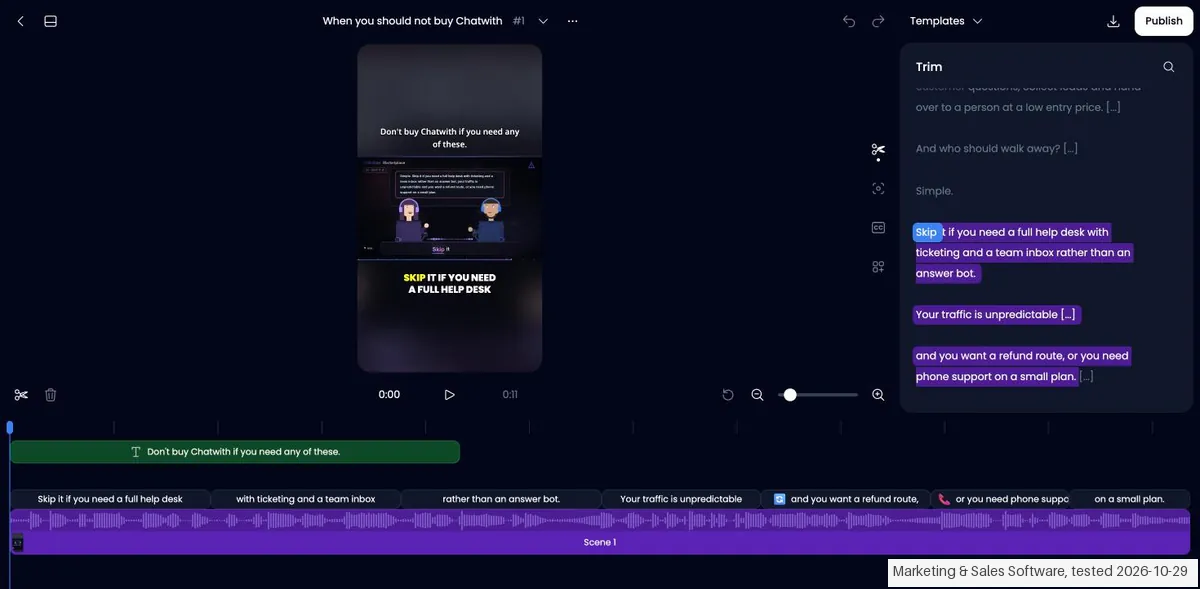
What this test does not show:
- The public free route, the paid checkout and when the supplied Pro period really ends.
- Importing an editable project back into Klap, and the official CSV and PNG media kit.
- Team roles and invitations, because the account menu offered no such screen.
- Cancelling or downgrading, because the account held no subscription.
Most of our reviews are researched rather than run. How we review explains which is which, and why we do not pretend otherwise.
Questions we are still checking
Facts about Klap that would change a buying decision, and where we stand on each. An unanswered question does not mean the feature is missing; it means we have not confirmed it yet.
- Can several people work in one Klap plan, and how many seats does Pro+ include? Still checking
Applies to: The pricing page labels Pro+ 'For teams' and lists unlimited social accounts on every plan, but names no seat or team-member count.
Why it matters: A team that needs separate logins may otherwise buy one plan and find it has to share a single account.
Checked: Klap pricing (2026-11-17); Klap terms of service (2026-11-17)
Have a public source that answers one of these? How we review explains how we check and correct.
Work at Klap? Answer these on the record. A person reads each answer before it is published as a dated statement from your company.
How to actually use Klap
Create a free account on klap.app, then paste a YouTube link or drop a video file. Klap generates the clips, which you can preview and edit; the homepage says a one-minute video produces about 5 clips. Downloading or posting them needs a paid plan. The homepage describes the rest as final touches and then exporting in high resolution or publishing to TikTok, YouTube, Instagram, LinkedIn and Facebook. We have not paid for a plan, so we cannot say how long a long video takes to process on yours.
Where this section comes from: our research notes (107 words)
Klap pricing page (klap.app/pricing) and homepage (klap.app), read on 17 November 2026; the pricing page states its prices were last updated on 4 November 2026. Klap is an affiliate partner of ours through its own Rewardful program, and we may earn a commission if you buy through our link. We have not paid for a plan. Also read 17 November 2026: klap.app/mcp (connecting is free, agents use your plan), docs.klap.app/pricing (API at $0.44 per input video, $0.32 per short and $0.48 per export, billed monthly; Sign in with Klap apps bill the user's subscription), klap.app/support and the terms of service (refund rules, operated by ZIGG SAS, France).
Klap vs Descript, side by side
Each column shows the vendor’s own published entry price, read on the date shown. Entry prices can cover different services or units, so check what each one buys. We do not average them into a score.
Both names above are affiliate links: we may earn a commission if you sign up, at no extra cost to you. Neither changes what this table says.
The natural comparison is Descript: Descript edits video by editing the transcript, while Klap picks and cuts the clips for you. Compare how much of the cutting you want to do yourself.
Frequently asked questions
Can you export your data from Klap?
Exit check 2026-10-29; route excerpt: Clip card > Download HD; came along (excerpts): Downloaded MP4 is 1080x1920; lost (excerpts): No separate SRT, transcript or editable project export was offered in the download routes inspected; re-import: not tested.
How much does Klap cost?
Per the pricing page read on 17 November 2026, Basic is $14.50 a month billed yearly ($174 a year) for 100 clips a month, Pro is $39.50 ($474 a year) for 300 clips and Pro+ is $94.50 ($1,134 a year) for 1,000 clips. Billed monthly the same plans cost $29, $79 and $189 a month. Prices are in US dollars.
Is there a free plan or a trial?
There is a free trial on 1 video with no credit card. Klap turns that video into clips you can preview and edit; downloading and posting them needs a paid plan. There is no permanent free plan.
Does Klap add a watermark?
Not on paid plans: clips you download or post on a paid plan carry no Klap branding, per the pricing page read on 17 November 2026.
What counts as a clip?
Each short Klap generates counts as one clip, and clips refill every billing period. The length of your source video does not use up the plan, and a video can run up to 3 hours. Yearly plans receive the whole year of clips at once: 1,200, 3,600 or 12,000.
Can I get a refund?
The pricing FAQ (read 17 November 2026) says a monthly plan can be refunded any time in the first month, and for up to your last 3 months in a row if you have not used Klap. A yearly plan gets a full refund in the first month; after that you get back 1/12 of the yearly price for each full month you have not used Klap, up to your last 3 in a row. Cancel first, then take the refund on the billing page or ask support.
Can I cancel anytime?
Yes. You cancel on the billing page and the plan stays active until the end of the period you paid for. A move to yearly billing starts right away; a move from yearly to monthly starts when the current year ends.
Does Klap have an API?
Yes, a self-serve API priced separately from the plans: $0.44 per input video, $0.32 per short and $0.48 per export, per the pricing page read on 17 November 2026.
What do we not know?
Whether the clips Klap picks suit your kind of video, how closely the final cut matches your taste, and what a paid plan feels like over several months. We have not paid for a plan.
Do clips made from Claude, ChatGPT or another agent cost extra?
No separate charge. Klap's MCP page (read 17 November 2026) says connecting is free and that what your agent creates uses your Klap plan, exactly as on klap.app; downloading and posting still need a paid plan. The API documentation's pricing page says the same for apps that use Sign in with Klap: they are billed against the signed-in user's subscription, not the per-operation API prices. The agent can check what is left with the get_usage tool.
Is this a hands-on review of Klap?
Yes. We tested Klap ourselves on 2026-10-29; the section above says what we tested, what we found and what we did not test, and where a figure comes from the vendor's own documentation instead. Most of our reviews are researched rather than run; we say which is which. We name what each tool is good and bad at, and we earn a commission only if you sign up, at no cost to you.
- Read 2026-11-17 on klap.app/pricing, US dollars.
- A dated screenshot of that pricing page, kept on this site as the receipt.
- Our own hands-on session with Klap (2026-10-29), written up in full further down this page.
Bottom line
In one line: Turns long videos into short clips; free on 1 video, paid from $14.50.
Best for: podcasters and creators with long videos.
The Try button is an affiliate link; we may earn a commission at no extra cost to you.
Others in this category
Reviewed marketing tools that share ground with Klap. They are comparable in what they do, not drop-in swaps:
New reviews, price changes we recorded, and the cost conditions we found. No sponsored placements. Unsubscribe anytime.
This is our researched assessment, not a paid placement. The “Visit” links on this page are affiliate links: we may earn a commission if you sign up, at no extra cost to you, and it never changes our take. How we review →